PRODUCT DESIGN
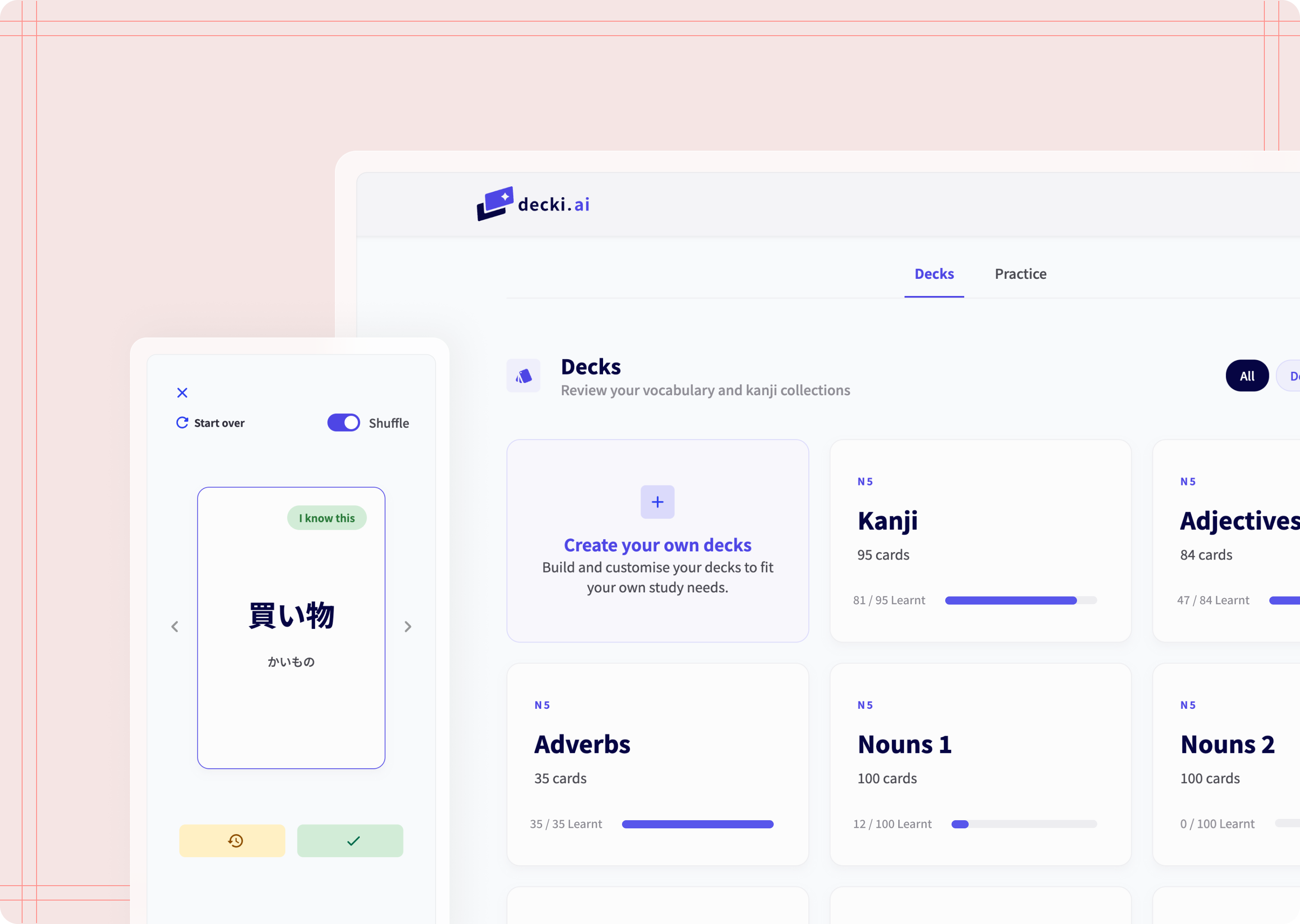
Taking advantage of the capabilities of AI, I build my own flashcard tool. AI took care of the technical, I took care of the product's user experience.
TL;DR
I built decki.ai, a Japanese flashcard tool designed to bridge the gap between passive memorisation and active conversation. Recognising that existing tools (Anki, WaniKani) focus primarily on input, I designed an "output loop" that requires students to draft original sentences to achieve fluency.
As a Product Designer, I used AI as a technical co-pilot to handle the logic, allowing me to focus on UX iterations, usability testing, and navigating the constraints of a free-tier tech stack to launch a functional MVP in three weeks.
My role
Product designer.
I built this product using Gemini, Figma, Zeplin, and other tools.
Check it out!
Read the repository, look at the design or try the tool for yourself!
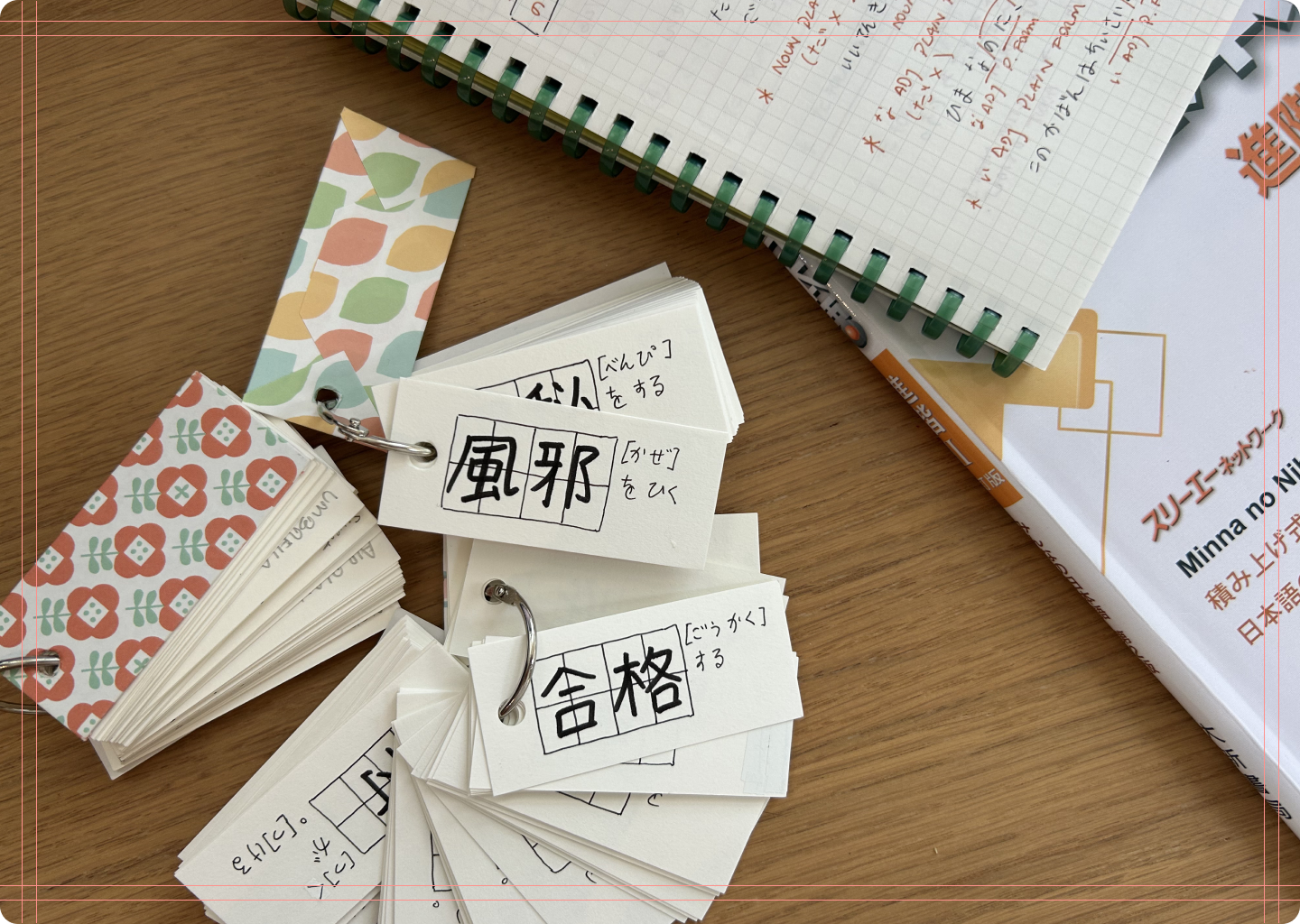
Japanese language learning is tough
Context
My Japanese language learning journey
In my three years learning Japanese, I have realised that the best way to learn vocabulary is to actually put it to use. Sounds so obvious, right? Yet, it’s hard to find a tool that lets you do exactly this. Most flashcard tools focus on building decks and memorisation, yet all the time I spent building flashcard decks never translated into actual learning progress.
That’s why I came up with this solution: A flashcard tool that helps you use the vocabulary it teaches you.
The problem
How can I move from passive memorisation to real learning?
Most flashcard tools optimise for passive recognition (input) rather than active application (output), meaning they focus on memorisation, but never on making use of the words you have learnt. In my experience, using these tools left me feeling frustrated, because even though I could recognise the words I had learnt in isolation, I still struggled to remember them in spontaneous conversation.
The challenge I’m trying to solve is to bridge this gap by integrating generative output—moving away from clicking buttons to original language creation—to ensure long-term retention and conversational fluency.
the solution
From input to output
I designed a flashcard platform called “decki.ai” that bridges the gap between memorisation and fluency by writing sentences. While this product works as a traditional flashcard tool, its edge is its output loop: Students move from passive recognition to active application by creating original sentences. By providing a space for writing sentences, this tool ensures that words are not just memorised—they are mastered.
Decks
This section holds all flashcard decks. Each proficiency level has their corresponding set of decks. This is also where students can create their own decks.
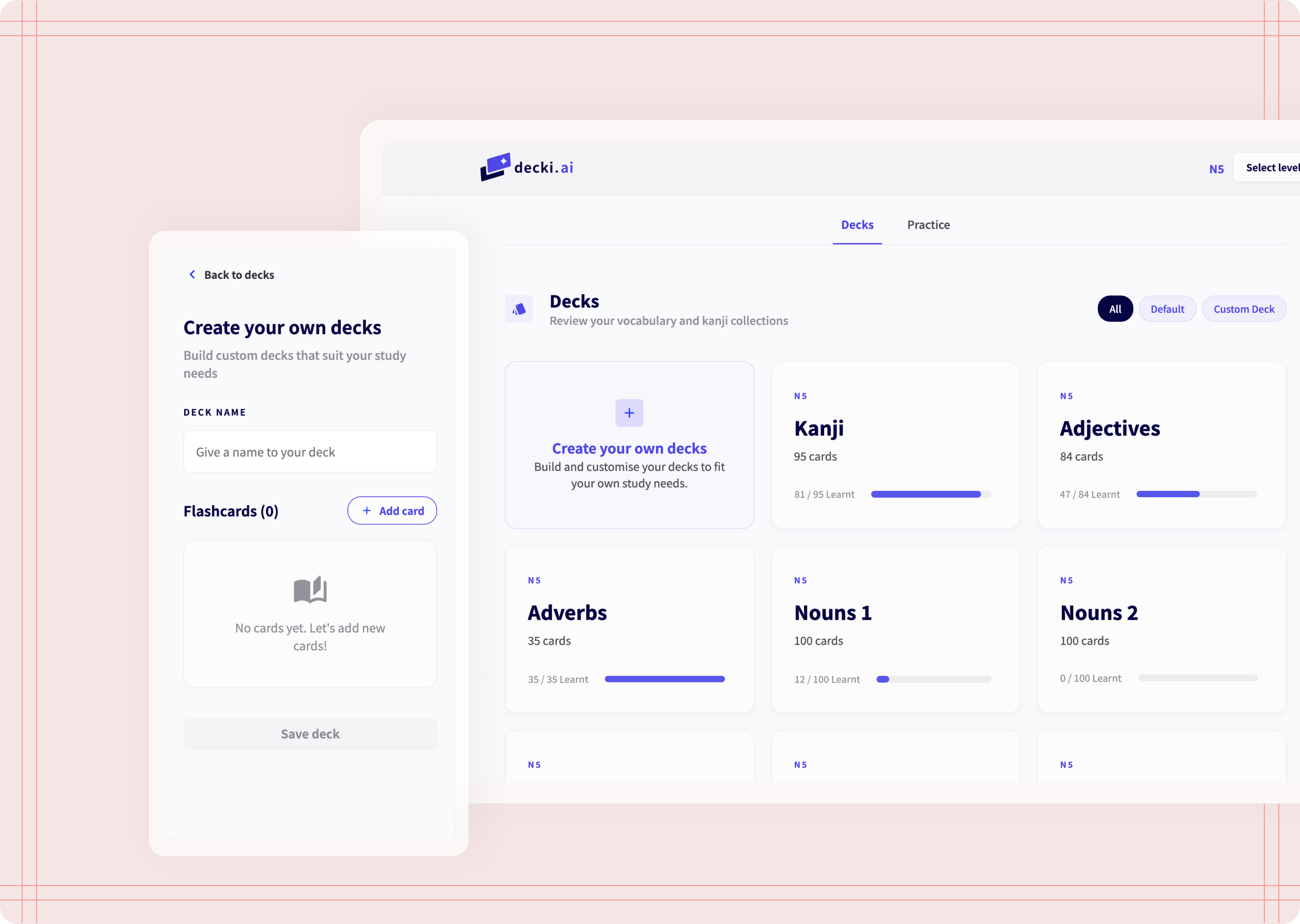
Decks and Create your own decks
Flashcards
Opening a deck takes you to flashcards. Front side holds the word in kanji and kana, the back side holds word's meaning, readings, and example sentence.
You can shuffle flashcards and choose to mark them as "Still learning" (if they need reviewing) or "I know this" (if they have been learnt this already).
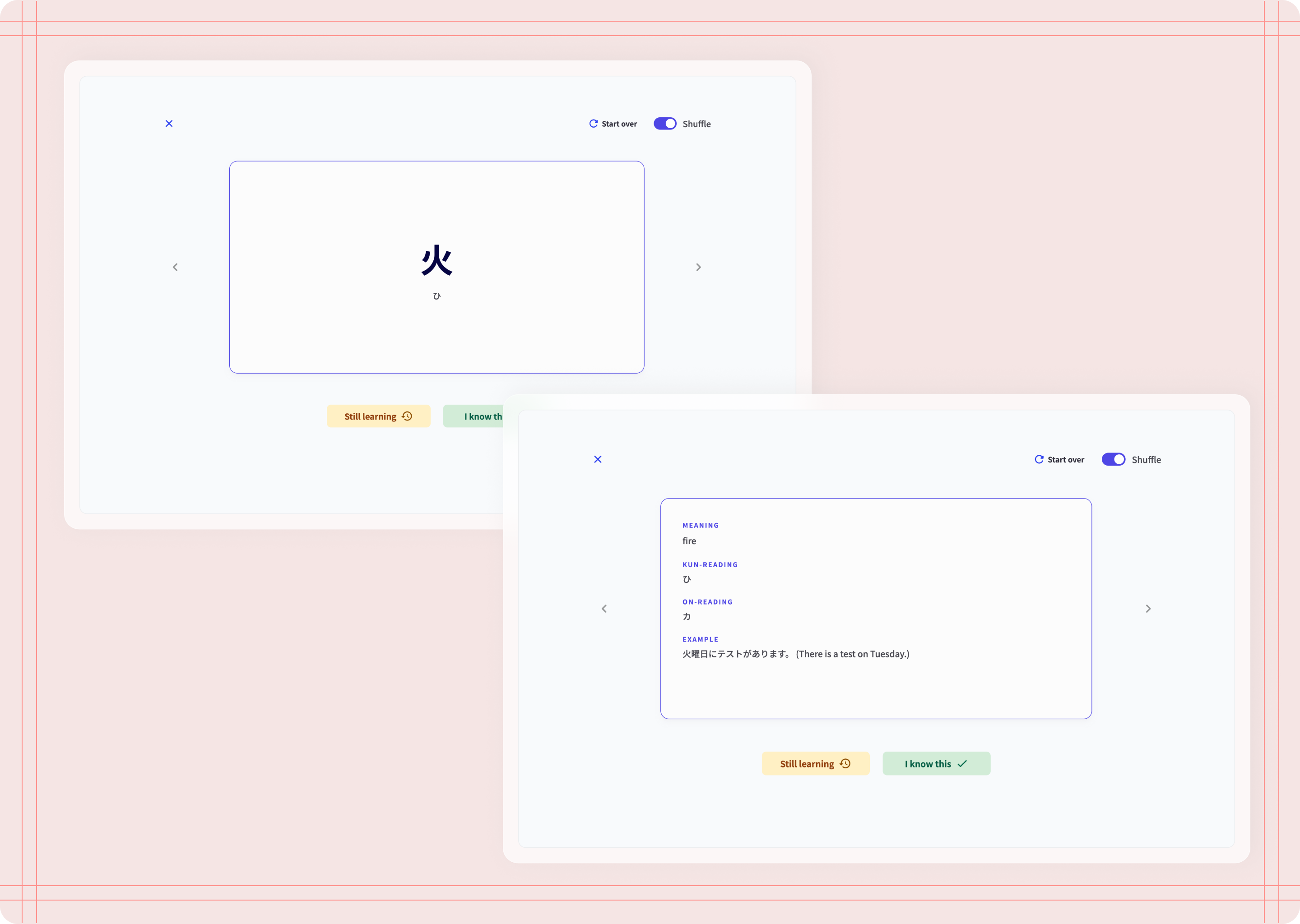
Flashcards

Flashcards marked as learnt
practice
Once a word has been learnt, that word is added to the practice word list. In this section, you can write sentences using the words you have learnt and keep a record of the sentences you have created.
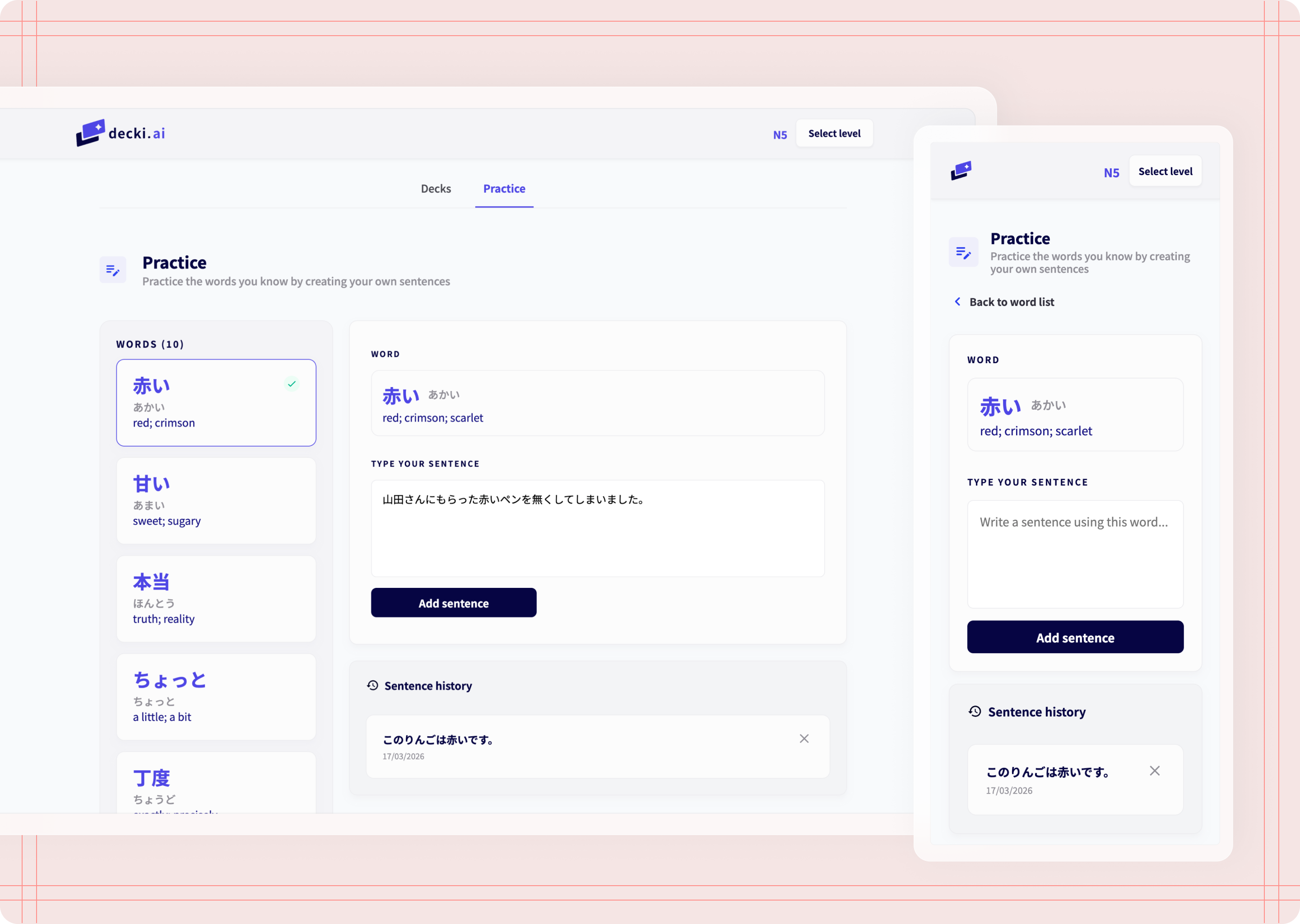
Practice writing sentences
Leveraging AI
The technical specifications for using AI
While my knowledge of HMTL and CSS provides a strong foundation, building a functional, logic-heavy platform from scratch requires software engineering expertise. By using AI as my technical co-pilot, I was able to focus on the product’s user experience and UI design.
A note on how I used AI: This project had one big constraint—I wanted to really push the limits of what I can do with AI, so I tried as much as possible to stick to the free tiers on these tools (Figma included). I wanted to see how far I could go without paying for extra features or higher usage limits, and how much I could achieve with what is currently available.
The process
The missing part of other tools
I have used a fair share of apps and tools to learn vocabulary, specifically flashcards, but none of them provide a way to apply the vocabulary I know and help me become more fluent by using the language.
Anki and WaniKani also are not very user friendly and creating decks feels complicated and time-consuming. They are also very restrictive in what you should be learning first, which can be frustrating.
Coban and Shirabe Jisho are specific to Japanese, but they only focus on input and memorisation, not output and using the language you know.
Quizlet is not specific to Japanese, but can cover any subject. Their flashcard features are great, but creating decks takes time and they only focus on input, memorisation, and gamification.
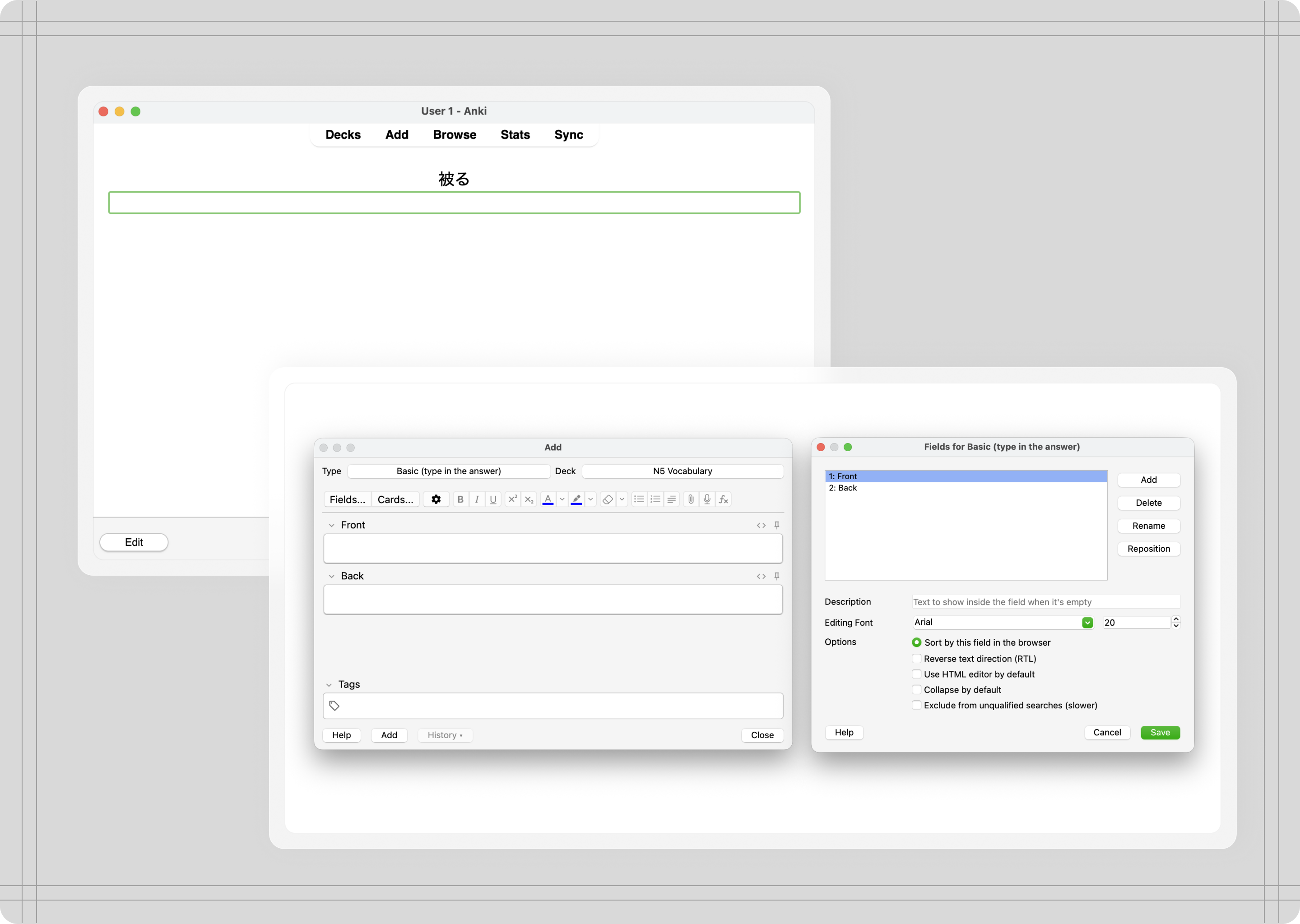
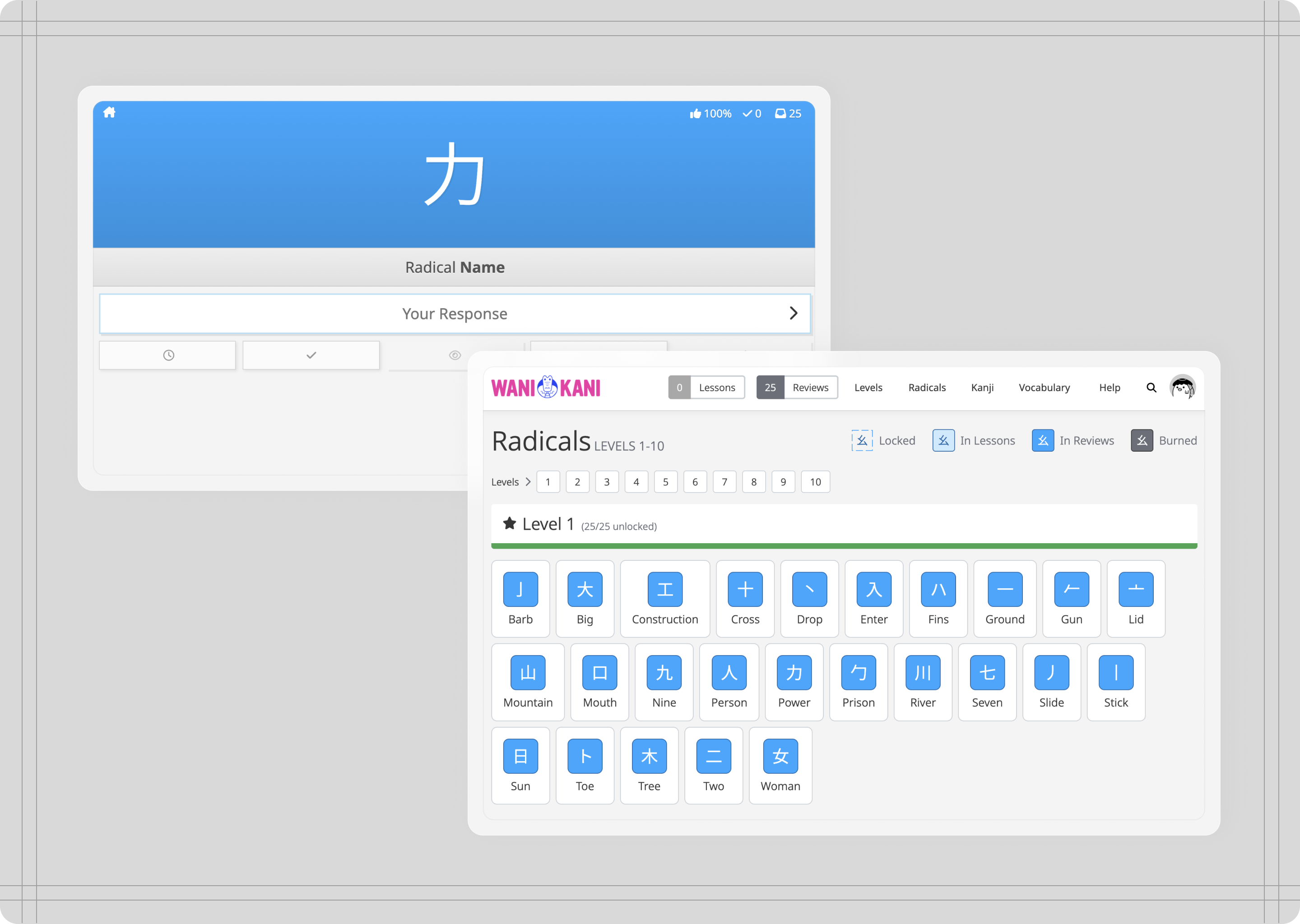
Anki, WaniKani
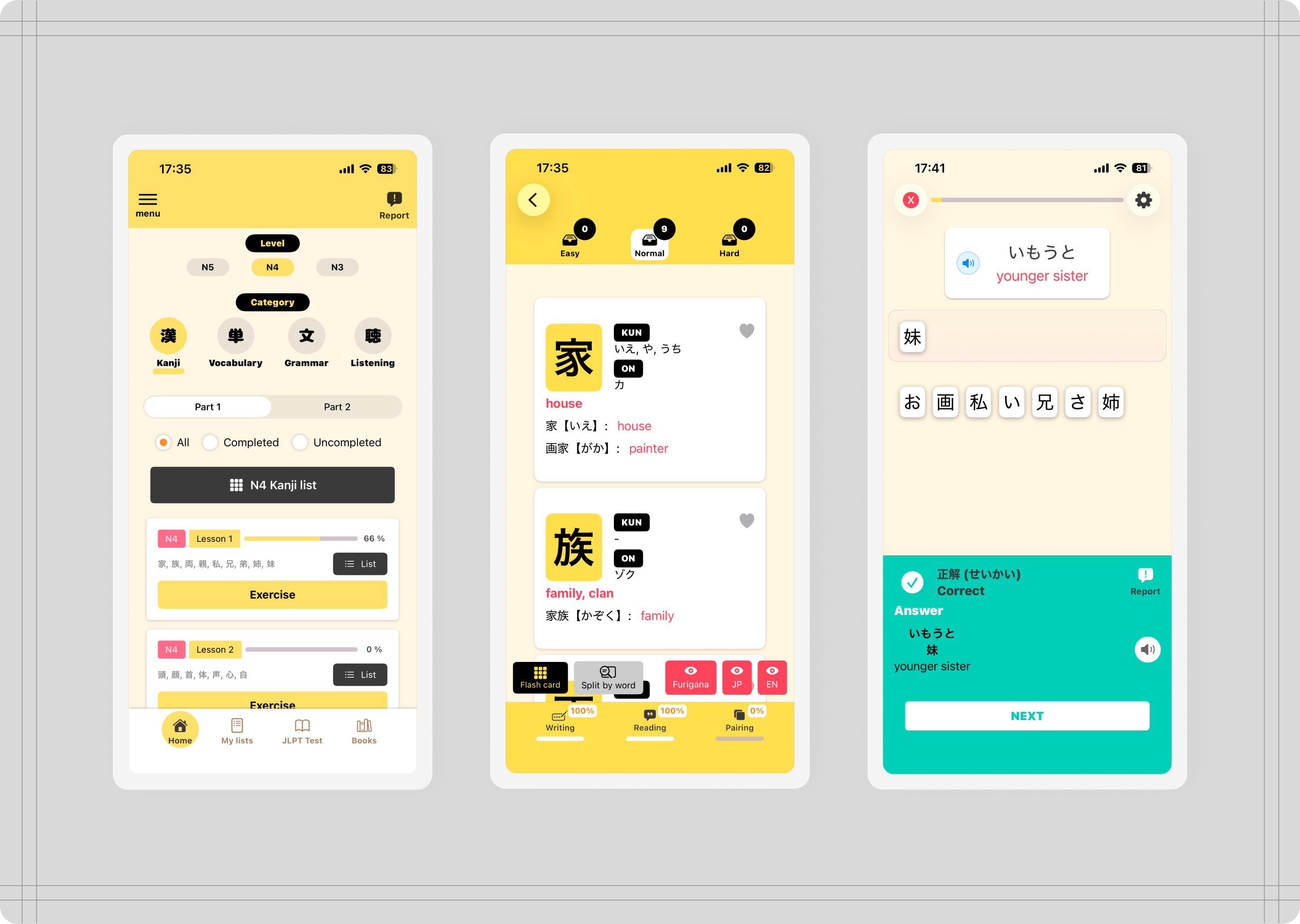
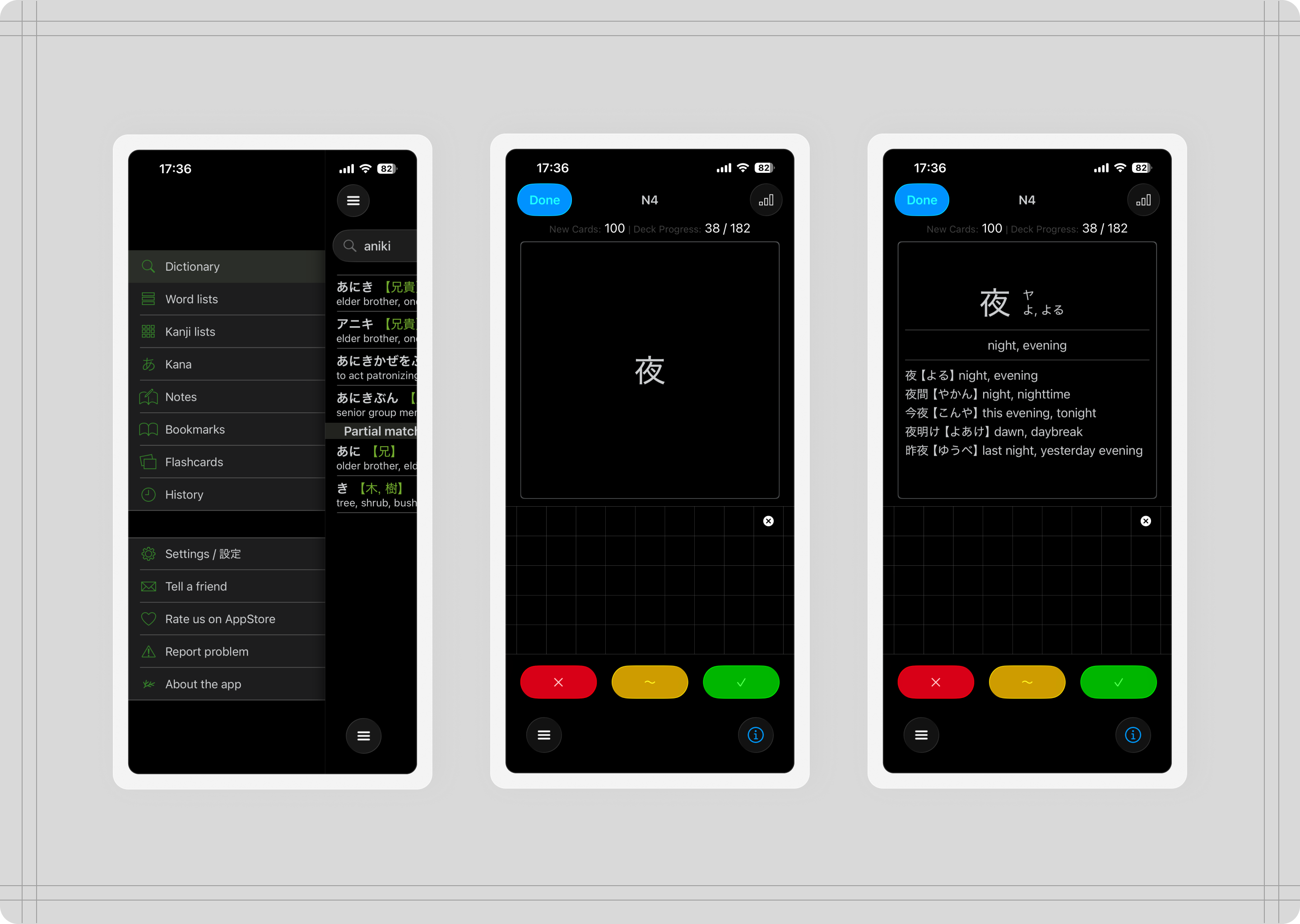
Coban, Shirabe Jisho
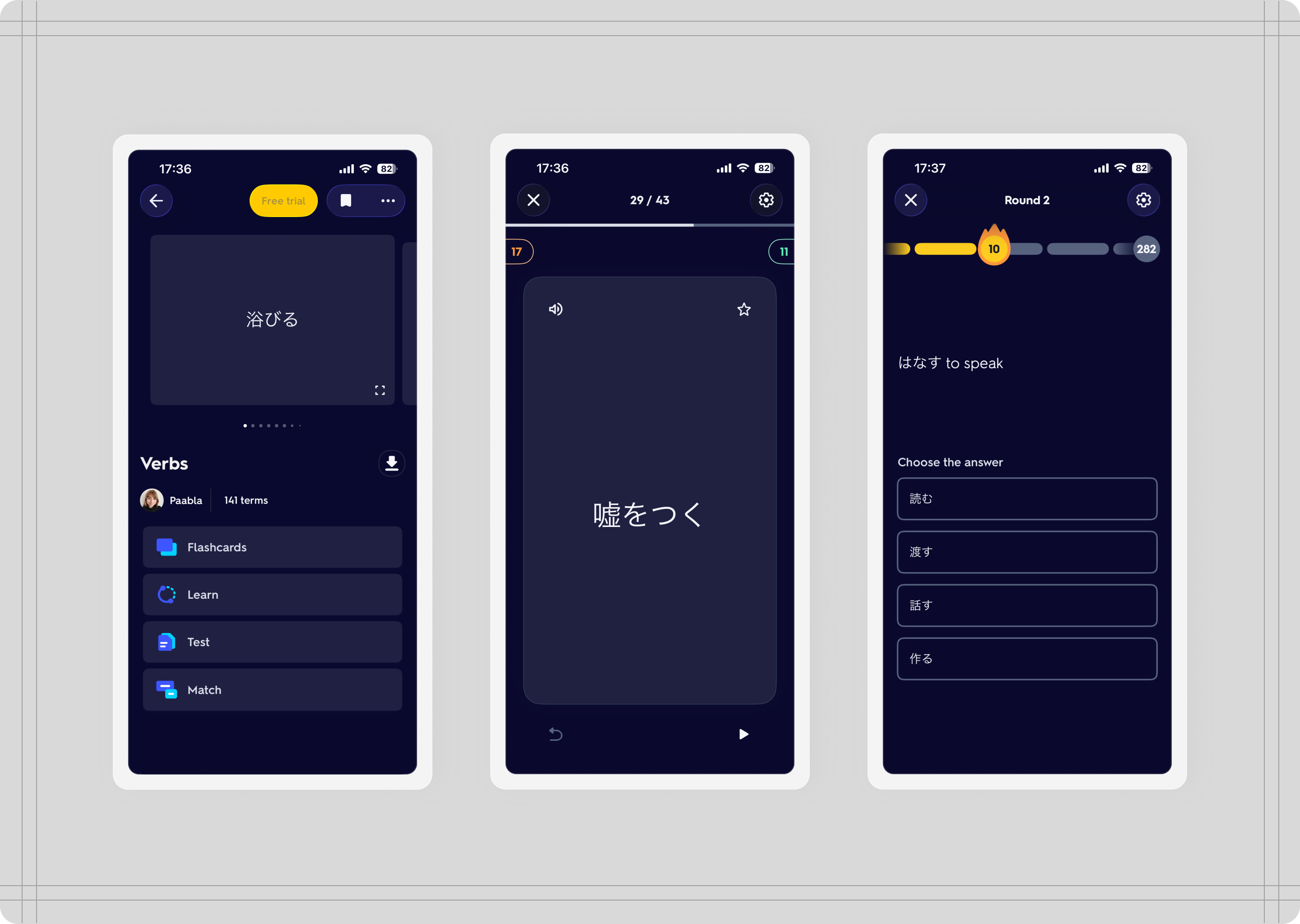
Quizlet
The process
Understanding the users
I started doing some research to understand if my problem was also something other students were experiencing. I did this so that I knew this product could also help other students in my same situation. These are some of the pain points students experienced when using language learning apps:
“Language learning apps don't promote language learning, they promote using their app.”
“I bet those cards you learnt the hard way will stick with you much longer. Other flashcard app may be fast but without actually writing or interacting with those words, you would have harder time to recall it later if you don't see given word regularly.”
The process
Prompting and iterating
I started writing a general description of the tool. I described user flows, and specified required features. I went into great detail defining each feature, specifying decks, flashcard content and behaviour, and sentence practice.
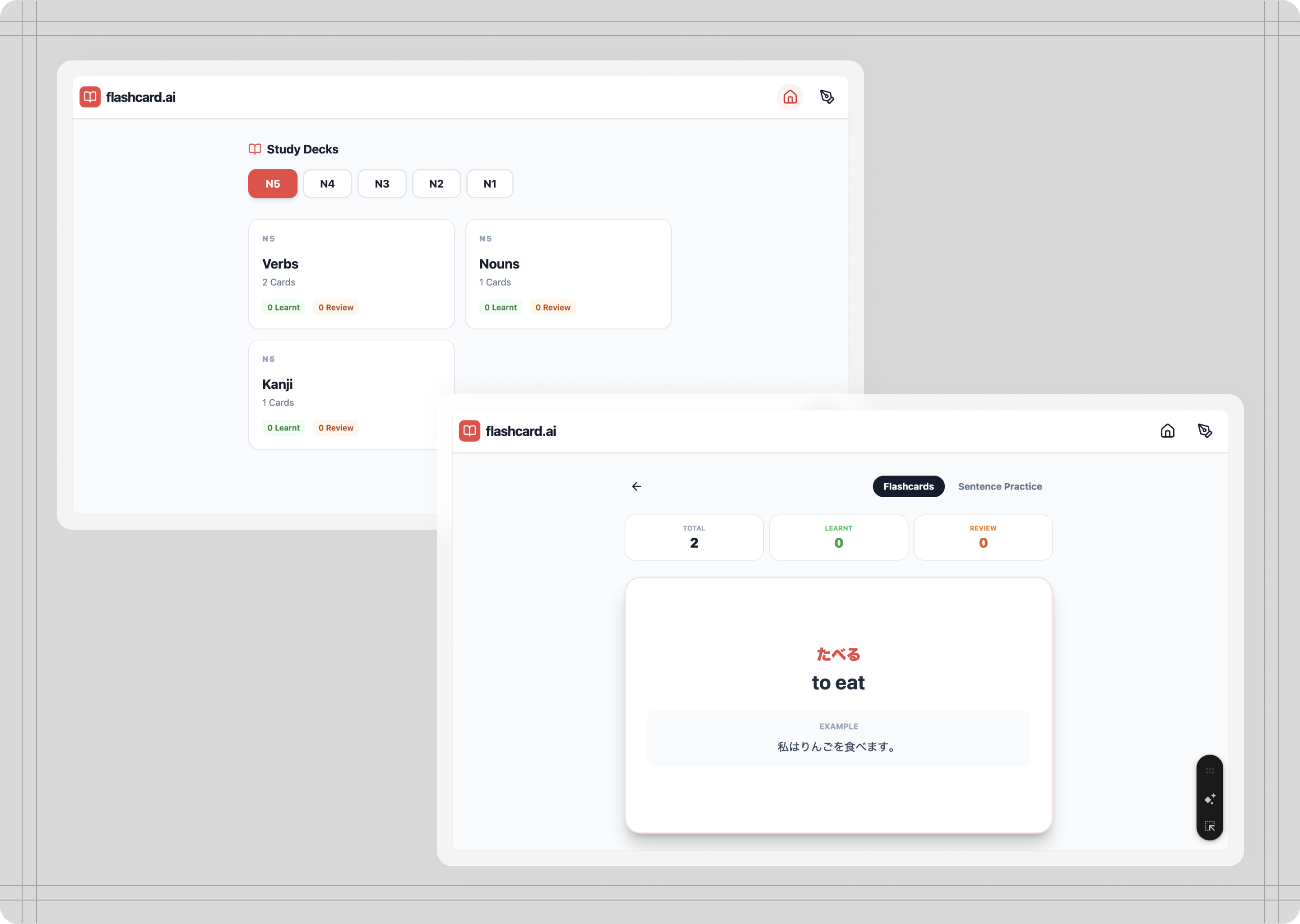
First AI prototype from prompt

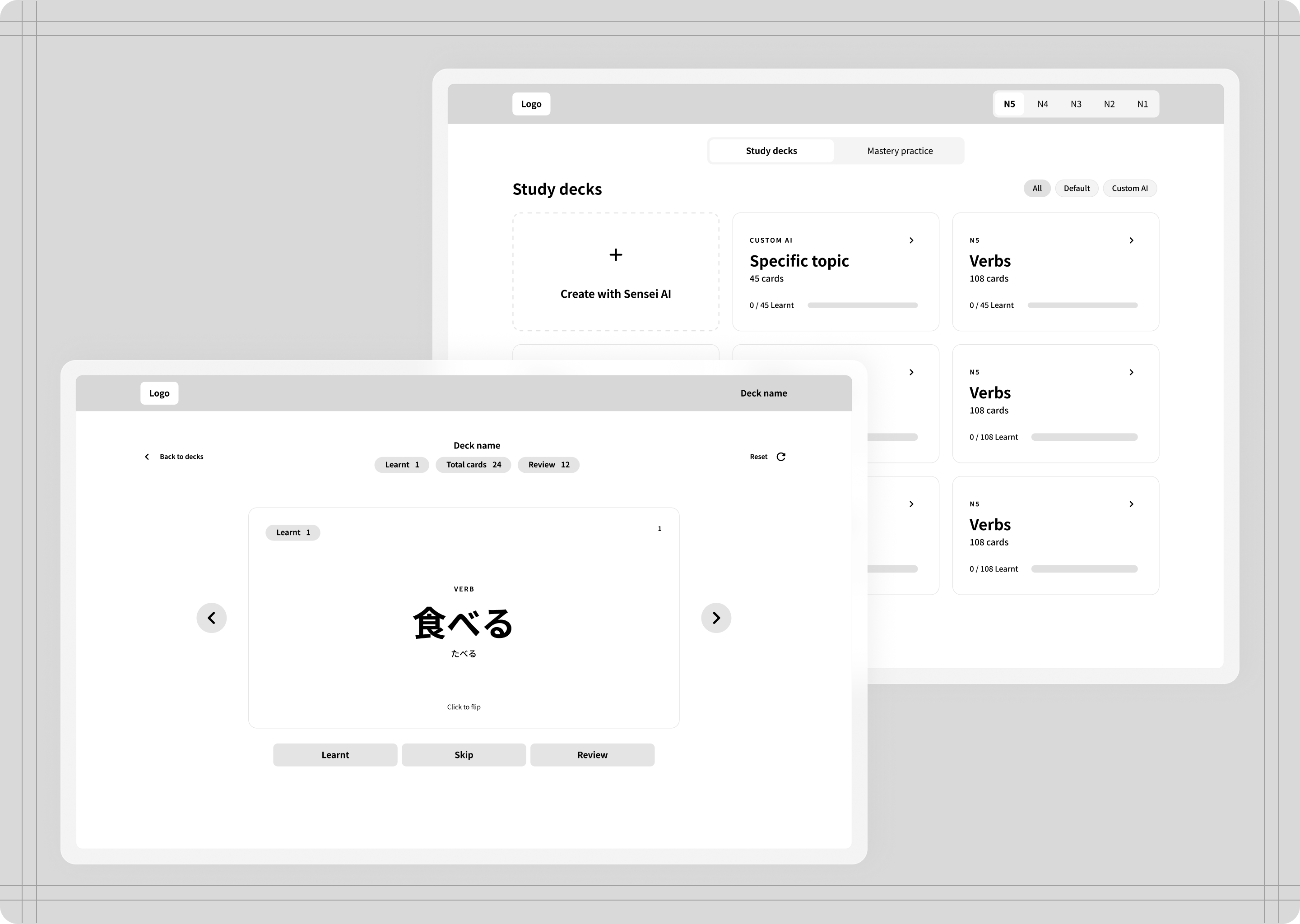
Sketches and wireframes
After the first prompt, the next iterations filled in the gaps, and I added more details on behaviour, usability, and content, specially in areas where AI took liberties that I had not considered and needed refinement.
At the same time, I had worked on the platform’s design, creating wireframes and style guides to define the look and feel of the platform.
The process
On information architecture
To keep it simple and manageable, I decided to exclude having user accounts, since this would increase the complexity of the tool (from a technical perspective) and my goal is to have an MVP that’s functional and provides enough value.
This means that the tool uses the local browser storage for storing custom decks, and it also implies that clearing the cache will inevitably reset the tool to its default. For a first MVP, having to set up user accounts added more complexity, and although the AI could handle this, I wanted to focus on creating a good experience first.
Challenges
Challenge #1: Design implementation
Main issue:
AI limited capability to generate UI
Solution:
Find the right combination of tools to help AI implement the design
After a few failed attempts at asking AI to replicate my design from screenshots and other file formats, I resorted to Cursor to implement my design using Figma MCP server. This worked almost perfectly, specially with Cursor’s integration with Figma, which made the process run smoothly.
Until I reached usage limits on Cursor. By then I had about 50% of the design implemented, so I still had a lot of work to do. That’s when I turned to Zeplin and my HTML and CSS knowledge. From Zeplin I could upload my Figma designs with a plugin, then fetch the CSS and HTML code.
The workflow then turned into having to talk to AI using both the inspect tool on the browser and the CSS properties from Zeplin, and tell it to adjust components and layouts based on the code and the properties I would provide. Surprisingly, this proved to work nicely. Granted, it was slower than having the AI work everything on its own with the right access, but it did give me more control over how I wanted the design to be.
This also gave me more control over the usability issues I had discovered while using the tool, so I could pin point at specific elements that needed fixing, and explicitly tell AI what to fix and how to do it.
Challenges
Challenge #2: Usability
Main issue:
Hidden usability issues that were only clear after testing
Solution:
Dogfooding, testing the tool and all its flows to hunt for issues and fix them
Although the tool looked functional at first, after some uses it became clear that the tool had a significant amount of usability gaps that only appeared after using the tool.
Some things AI did not account for were allowing for confirmation modals,
I used the tool myself multiple times to ensure that all gaps were addressed and fixed. I achieved this by giving the AI guidance on where the issues where and what to fix. Example of these issues where lack of empty states, confirmation steps for permanent actions (such as deleting a deck), saving changes, and so on).
Example
Flashcard mode
Although it understood the concept of flashcards, AI missed some actions that are essential when interacting with digital flashcards.
Even though it was specified in the prompt, AI didn't generate flashcards with two sides, and the first prototype included all information on one side only. Actions such as flicking through cards, marking and unmarking cards as learnt or review, shuffling or restarting a deck were all options the AI has completely skipped.
Other rules I had to define for AI to implement included being able to see flashcards once a deck is completed, and the order in which cards appear in a deck (show review first until none are left).
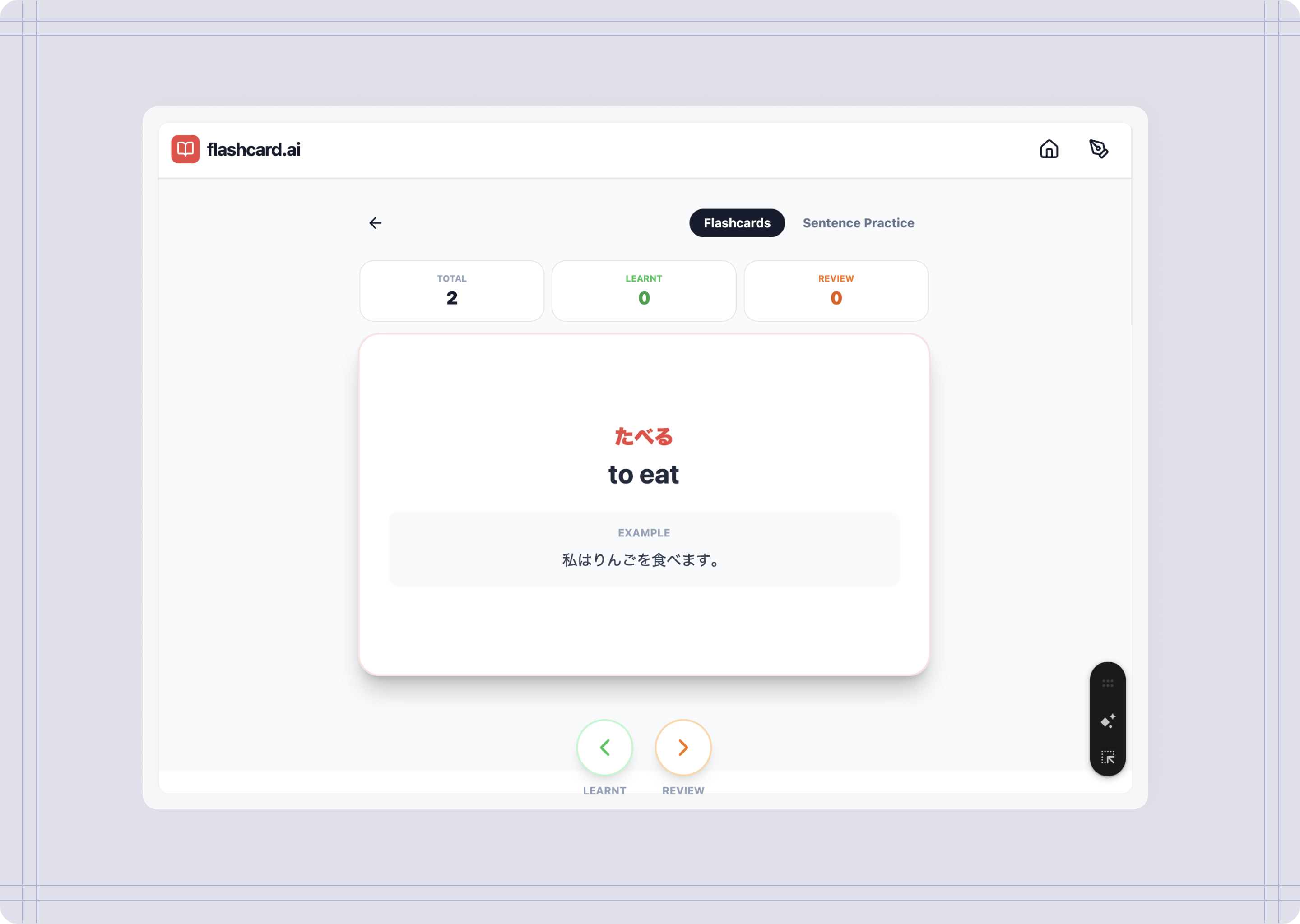
First prototype vs MVP
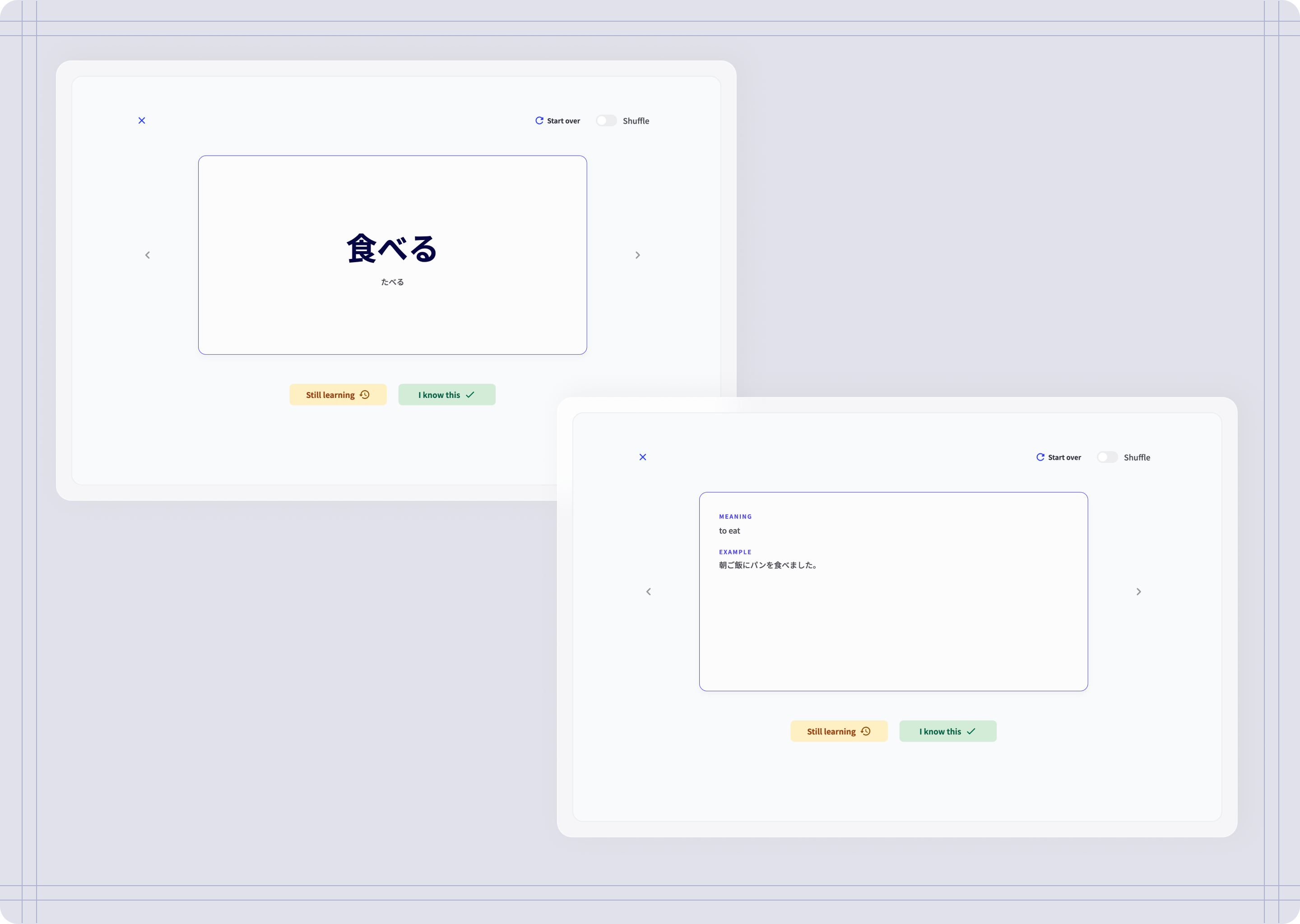
First prototype vs MVP
Challenges
Challenge #3: AI-integrated features
Main issue:
Reaching usage limits on AI API keys.AI limited capability to generate UI
Solution:
Push AI features for a later release, after enough testing has been done on the tool baseline features (flashcards and sentences)
In the beginning, I had considered integrating two features that used AI within the platform: A Sensei AI that would give feedback on the sentences written, and also assist you writing them by suggesting sentences.
Technically speaking, integrating AI features wasn’t challenging, Gemini connected the API with the tool and when tested, “Sensei” would generate feedback when a sentence was submitted. However, after testing this feature a few times, I had reached the limit on API key usage.
This made me run into two things:
Each feature integrated with AI needs to allow for multiple requests, which my free-tier account could not hold.
Having a “Sensei” help you write sentences goes against the generative output, and makes writing sentences too easy, rendering writing sentences pointless for effective learning.
By trusting the seemingly infinite capabilities of AI, I had stirred away from the true goal of the project. So, in order to stay within my constraints, and stay true to the purpose of the tool, I decided to keep the AI features to a future iteration.
Example
Create custom decks
Although this feature came in later iterations, I have specified I wanted to be able to build my own decks with help of Sensei by integrating AI into the tool. At first, AI understood the assignment, allowing me to give a prompt and then creating a deck. However there were some issues:
At first It would ignore my prompt and just generate a simple deck. I had no control over amount of cards or whether I needed to add more, edit a deck or delete cards.
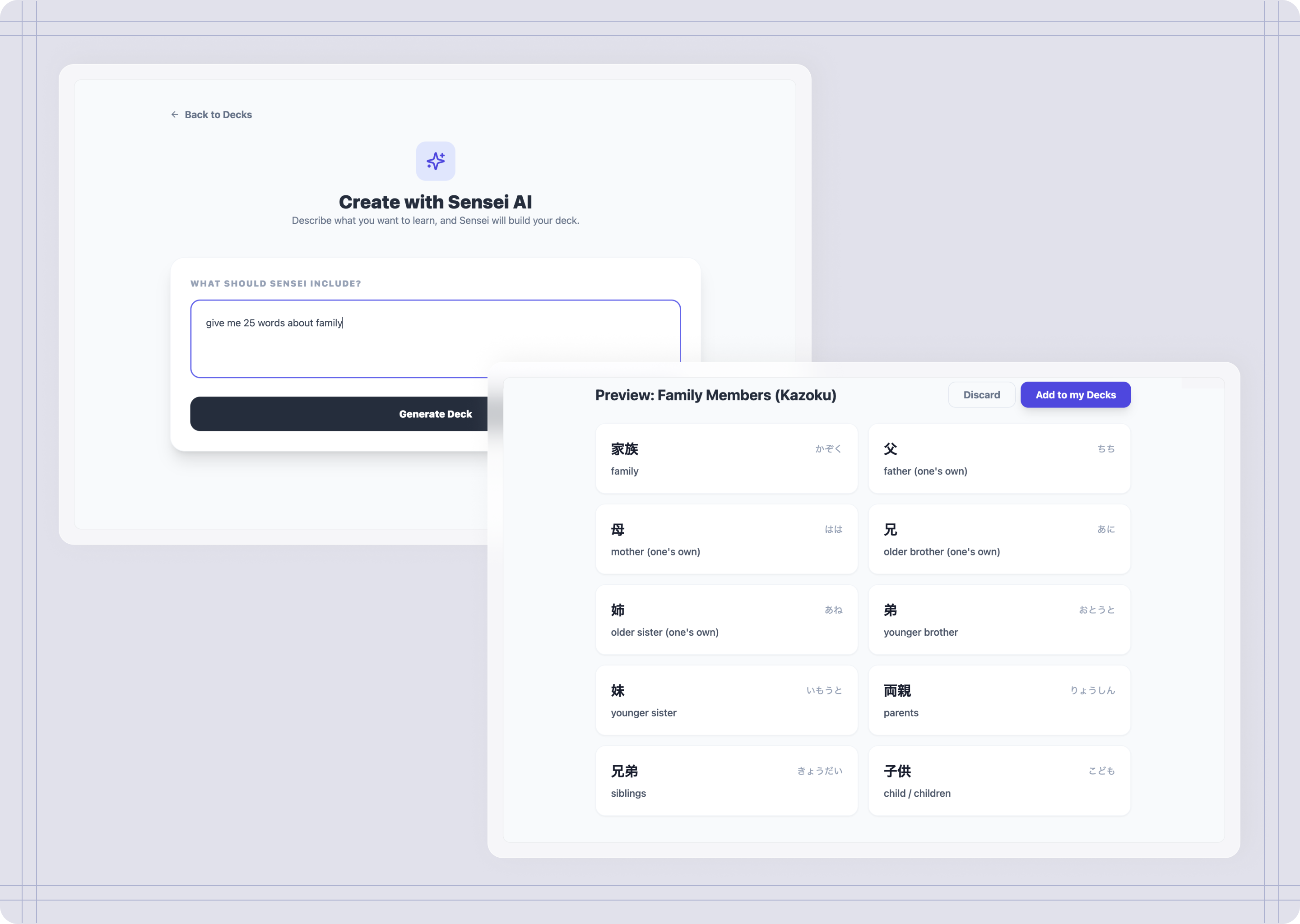
First version of Create custom decks
Although this feature proved to be functional and added extra value to the tool, after having reached the API limits, I reconsider this AI feature for a future iteration. However, instead of removing this entirely, I opted for a simplified version of this feature and allow users to create decks manually, since it still add value to the overall tool. The difference now is instead of asking Sensei to do it all, users decide what to include in their decks.
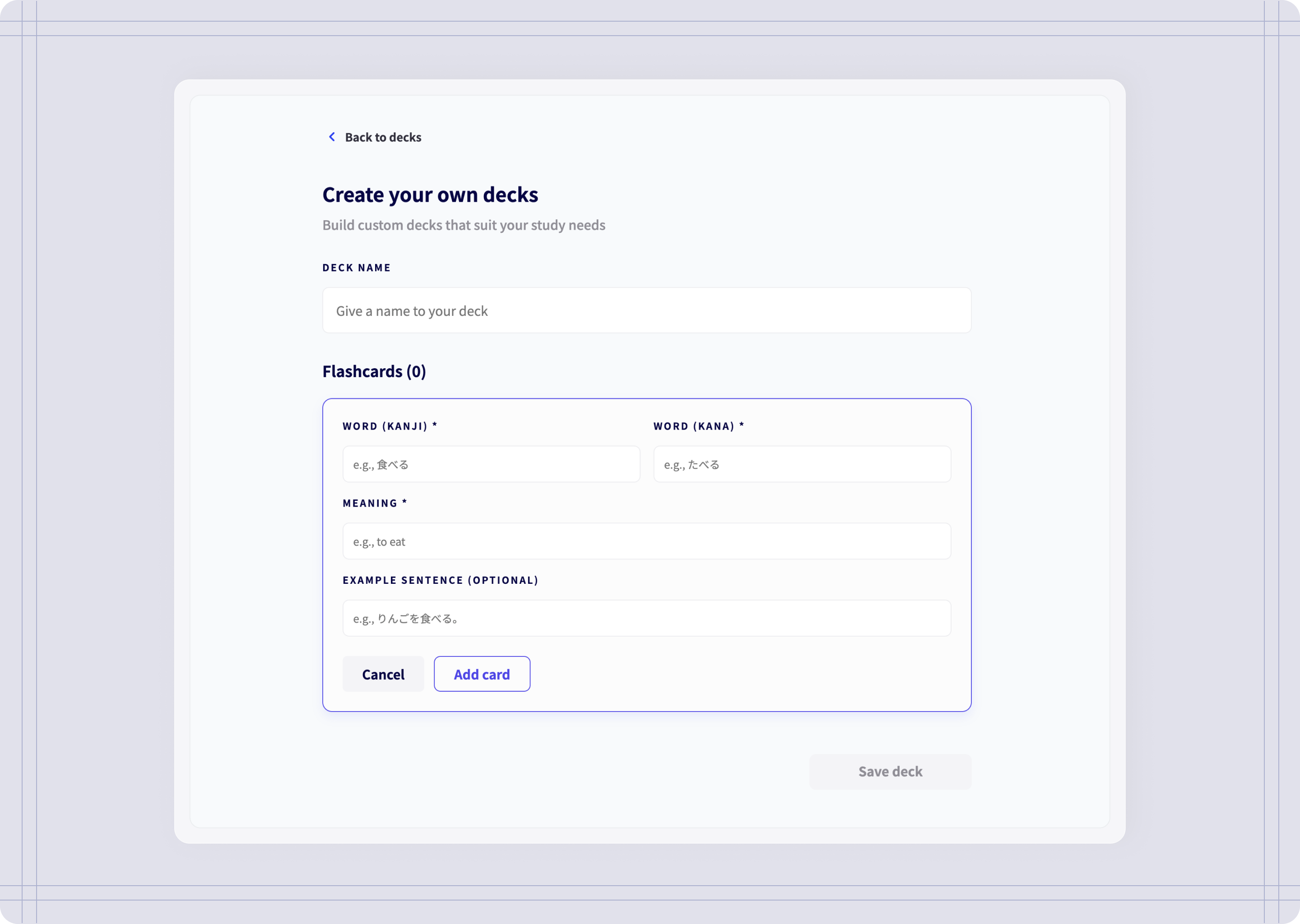
Create custom decks MVP
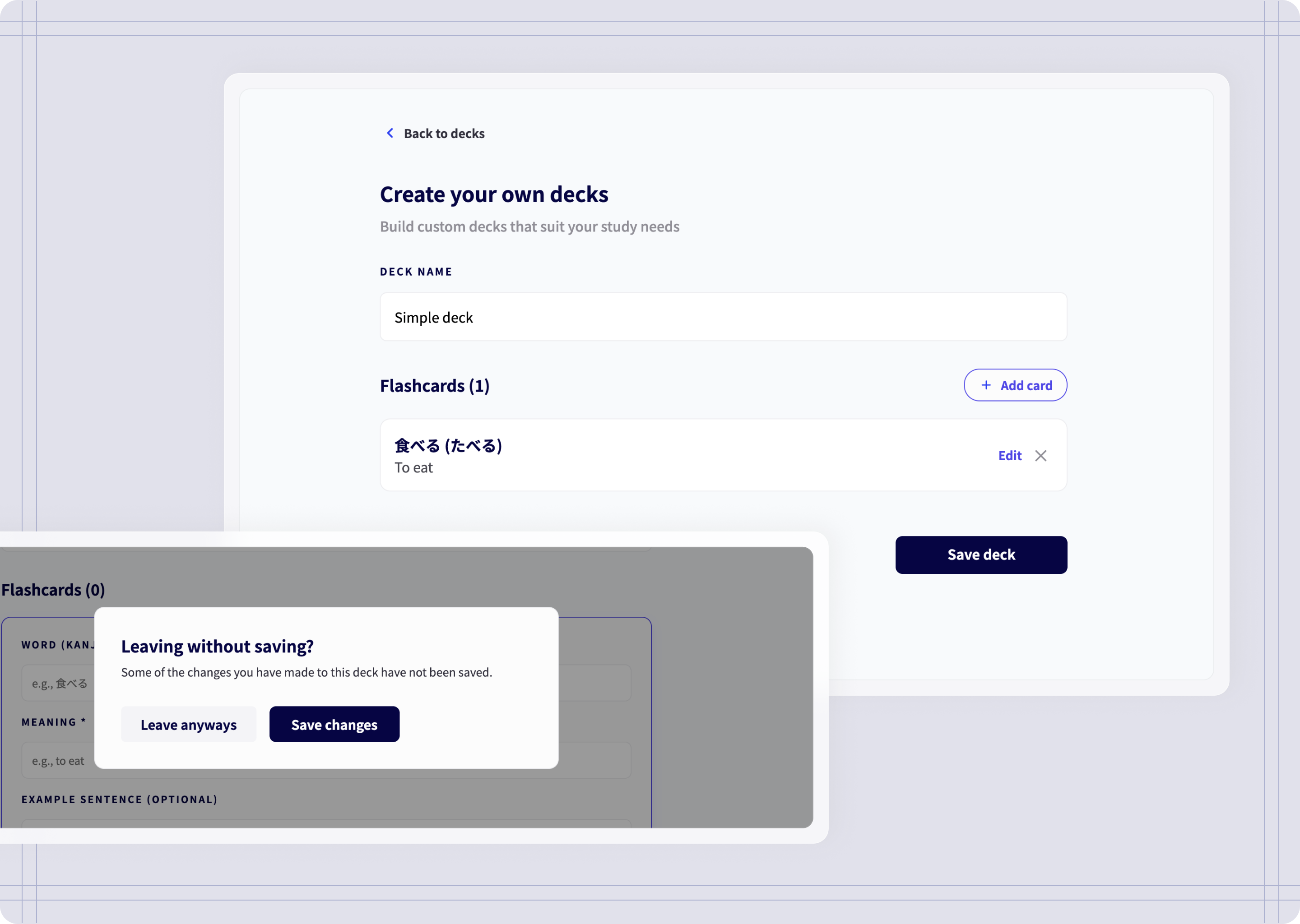
Adding words and saving changes
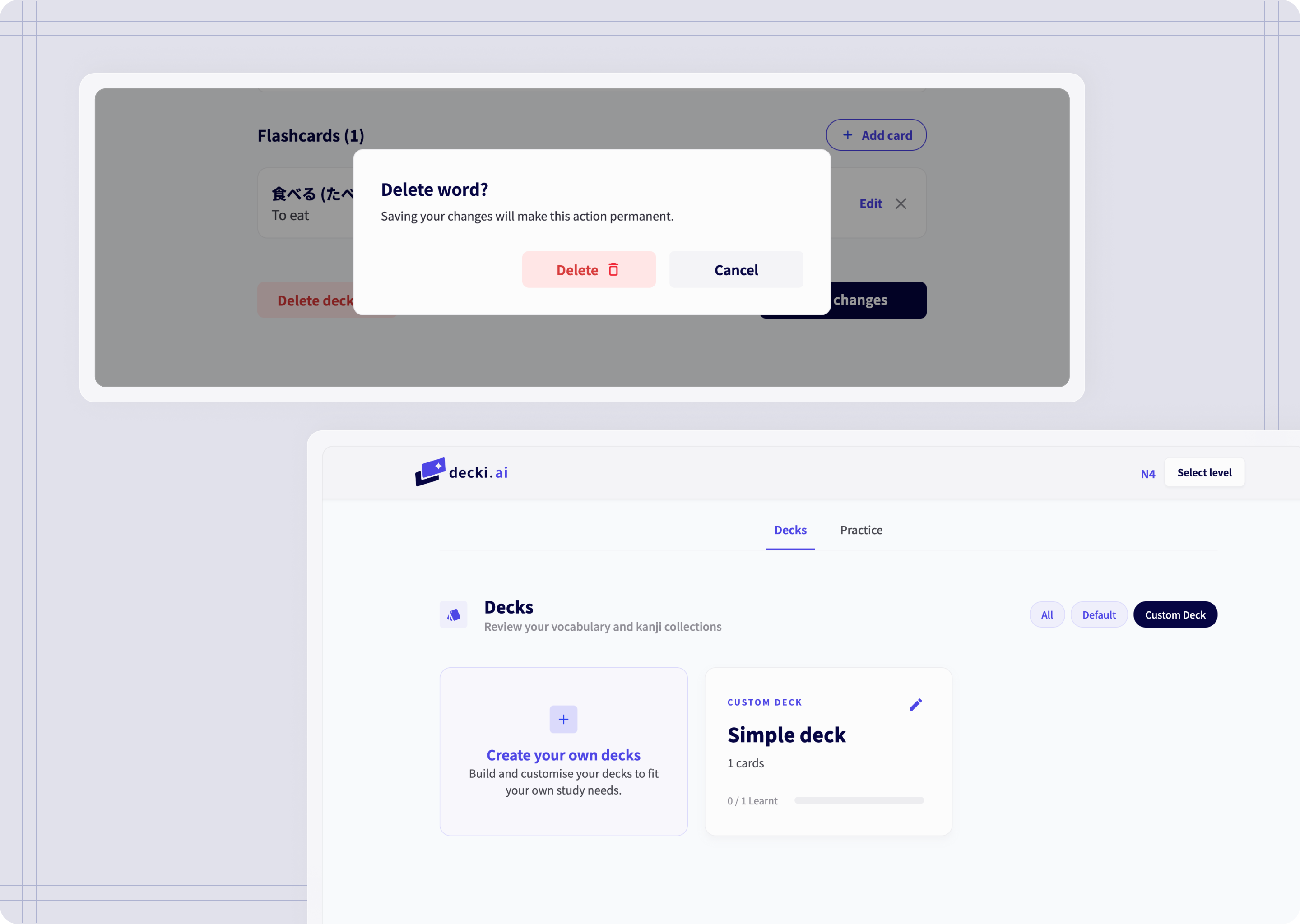
Deleting words and create decks
Reflections & next steps
What did the AI do and did it do it well?
While it’s really good at development, it can struggle with complex, multi-layered tasks—I found the best way to work together with AI was to “speak its language”—giving my prompts and requests highly-specific context, and having to break down tasks into smaller chunks.
Another important setback is that AI often overlooked UX nuances—I had to manually step in to refine refine user flows, information architecture, and core usability, so that the experience was intuitive.
Next steps
I’m planning on sharing decki.ai with other language students and get their feedback on their experience using it. With enough feedback, I can iterate on what can be improved.
List of priorities:
Run user tests and surveys, to get user feedback on potential improvements.
Implement AI features for sentence feedback. Have “Sensei” evaluate sentences on grammar and naturalness.
Implement AI features for deck generation. Have “Sensei” help you build decks by theme or a specific need.
To conclude
Learnings
The role of a product designer
Although working with AI allowed me to launch a product on my own in a short period of time, most of the work revolved around solving problems, identify opportunities, and making the right decisions. A prompt can only take AI so far; it needs a designer with product thinking to actually drive its success.
Detailed prompts worked best
Working with AI, giving highly-detailed prompts on specific sections of the tool led to better results than giving a long list of things to include in a single prompt. This helped AI stay focused on those sections, instead of covering the whole tool at the same time. This also allowed me to have more control on how I wanted the experience to be.

This is my custom decks page! 一生懸命勉強しています!